
Why I swapped my MacBook for a Mac mini
8GB of unified memory was fine, right up until it very much wasn’t.
My main machine for years was an M1 MacBook Pro with 8GB of RAM. For most of that time it was genuinely brilliant. The M1 was a proper step change, and 8GB stretched much further than the number suggests — macOS compresses memory well, the SSD is quick, and most days you never felt the swapping.
Then the work changed, and the machine stopped keeping up. Not gradually. It fell off a cliff.
What actually broke
It wasn’t rendering, or builds, or anything you’d put in a benchmark. The M1 chewed through all of that.
It was having things open at the same time.
A browser with an embarrassing number of tabs. VS Code. A dev server or two. Something in Docker. And then, the bit that finished it off: trying to run a local model alongside all of it. On 8GB, that isn’t a slow experience, it’s an impossible one. The model wants several gigabytes to itself, unified memory means it’s competing with everything else for the same pool, and the machine spends its day shuffling pages instead of doing work.
You end up quitting apps to run other apps. Which is a rubbish way to spend a Tuesday.
Why a mini and not another laptop
The obvious move was another MacBook Pro with more memory. I didn’t, for two reasons.
The first is money. Desktop silicon per pound is just better value. An M4 Pro mini with 24GB costs meaningfully less than the equivalent laptop, because you’re not paying for a screen, a battery and a chassis thin enough to be interesting.
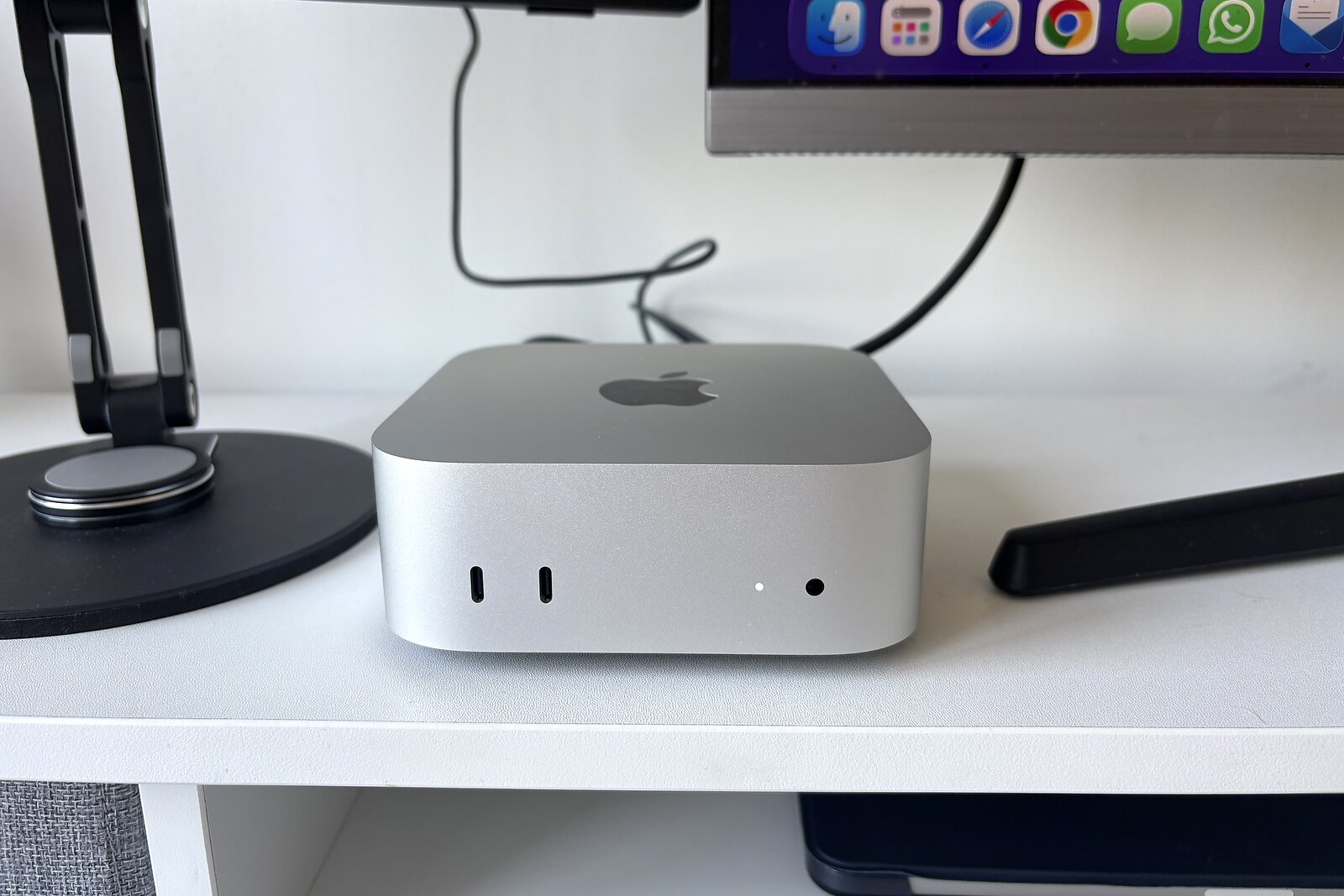
The second is that the machine doing the heavy lifting doesn’t need to be the machine I carry. The work happens at my desk. When I’m away from it, an iPad or my phone connected to the session already running on the mini covers far more than I expected — it turns out most of what I do away from the desk just needs a screen and a keyboard pointed at a machine somewhere else.
24GB is the actual upgrade
The chip is quicker, obviously. But the M1 was never the bottleneck for me, and I want to be honest about that. The memory was.
24GB means I can keep a local model resident and still have the browser, the editor and a couple of servers running, without the machine falling over. That’s the whole thing. Not “faster” — bigger.
I run local models through Osaurus. Not because they beat the frontier models; they don’t, and pretending otherwise helps nobody. But there’s a category of work where local is the right answer: anything touching client data that I’d rather didn’t leave the building, quick repetitive jobs where an API round trip is silly, and the general comfort of not being rate-limited or offline-blocked. For the genuinely hard problems I still reach for Claude. The two aren’t competing — they’re doing different jobs.
None of that was possible on 8GB. It’s not that it was slow. It just wasn’t a thing the machine could do.
Long sessions that survive me leaving the room
The other change is subtler and I didn’t see it coming.
A lot of my work now involves agent sessions that run for a long time — refactors, migrations, the sort of grinding job you set going and check back on. On a laptop that’s an awkward fit. You close the lid to go somewhere and everything stops. You’re tethered to the desk by a process you’re not even watching.
A desktop that’s always on solves that by simply not having the problem. I start something, walk away, and it’s still going when I get back. Obvious in hindsight. Genuinely nicer in practice.
The setup is deliberately boring: Claude Code running inside a persistent tmux session. Detach, walk away, and reattach later from whatever’s to hand — often an iPad on the sofa, sometimes my phone. The session is exactly where I left it, still chugging, full history intact. No syncing, no cloud state, nothing clever. Just a process on a machine that never went to sleep.
It’s a little server now, too
Once you’ve got an always-on machine under the desk, it’s daft not to use it as one.
Mine now handles the long jobs, hosts local dev environments, and is reachable over SSH from wherever I happen to be — so I can kick something off, or check on it, from an iPad on the sofa or my phone on the school run.
A few unglamorous settings make that work. It’s set to start itself back up after a power cut, so an outage while I’m out doesn’t mean coming home to a dead machine. The screen stays locked, but SSH keeps working regardless — locked and unreachable are not the same thing, and only one of them is useful. Tailscale is on the list to tidy up how I get in; SSH is doing the job perfectly well in the meantime.
Worth being clear-eyed about what this is, though. It’s a computer under a desk on domestic broadband. It’ll pick itself up after a power cut, but it’s still one dodgy router away from being unreachable. That’s fine for my own work; it’s not where anything client-facing lives. Real hosting stays on real hosting.
Still, for a machine roughly the size of a sandwich box, it does an absurd amount of the heavy lifting around here. The little box that could.
Would I recommend it
If you’re on 8GB and doing anything with local AI, stop reading and go and get more memory. It’s not a preference, it’s a hard floor. You can’t compress your way out of a model that doesn’t fit.
If you’re on 8GB and you’re not doing that, you’re probably fine. That’s the honest answer. The M1 is still a lovely chip and I’d have happily kept using it for another few years if my work hadn’t wandered off in this direction.
For me the upgrade wasn’t really about speed. The old machine was fast. It was about headroom — being able to have everything open at once and stop playing Tetris with my own tools.
I didn’t need a faster computer. I needed a bigger one.